OT network access via multi-VPN
To access the devices connected to the OT network (via VPN) you must manually create the bridge between the Kreo connect TAP virtual network and the LAN port to which the machine OT network is connected.
It is therefore necessary to follow this procedure:
1- Open the Control Panel - Network and Sharing Center page
2- Select (by pressing the CTRL key) both the TAP virtual port and the LAN port connected to the OT network)
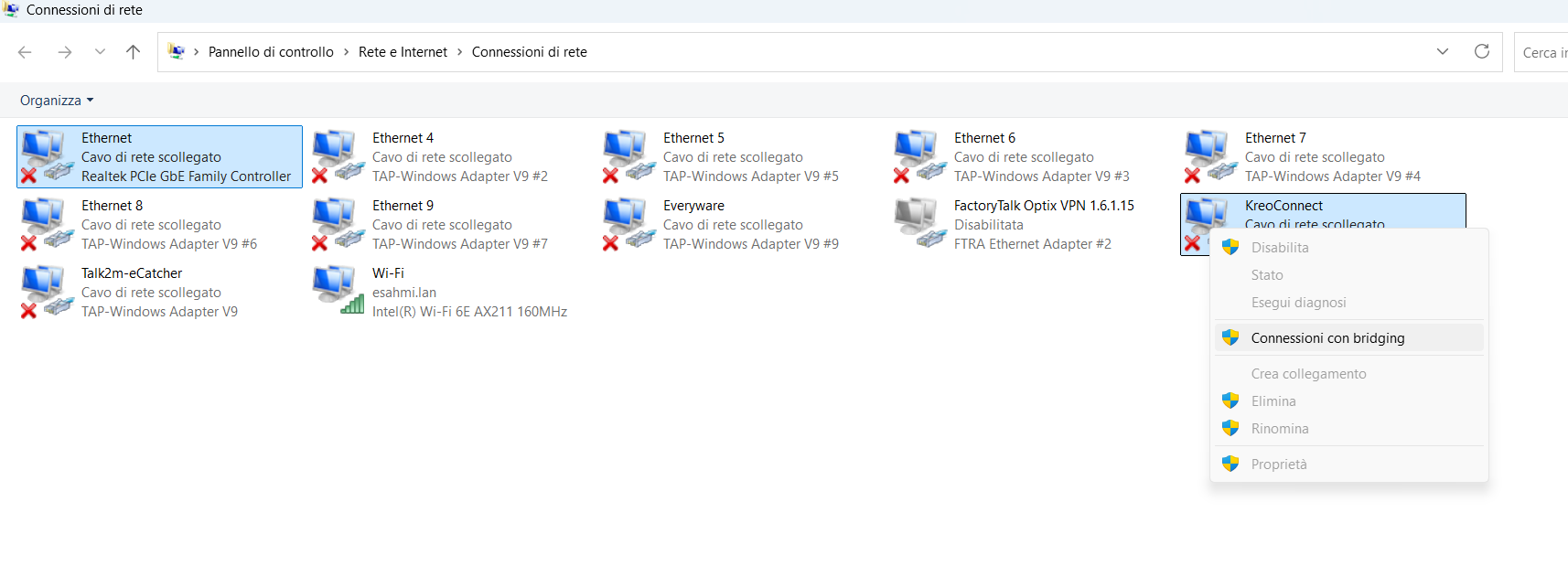
3- Right click and select Bridging Connections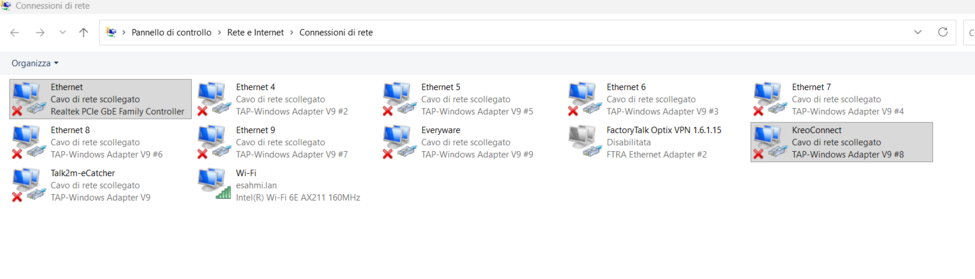
3- Right click and select Bridging Connections
Actually, an internal connection is created that redirects all incoming packets from the port connected to the Internet network to the devices on the OT network and vice versa.